
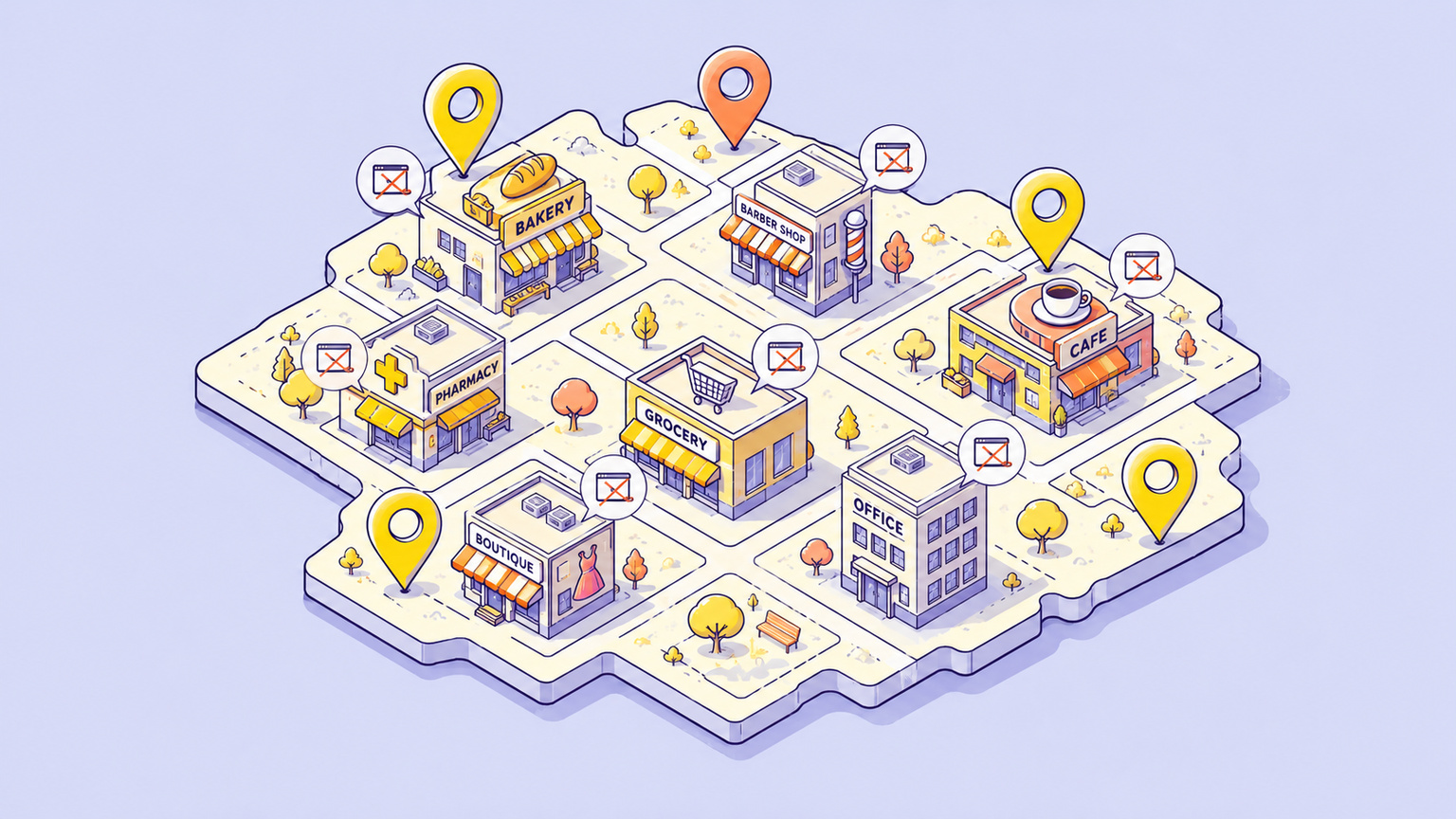
How to Find Businesses Without Websites Near You
Seven ways to research local businesses, verify their website status, and build a shortlist worth contacting.
To find businesses without websites, search for a business type and a city in Google Maps, review listings with no website link, then check the business name, address, and social profiles before adding it to your prospect list. A missing link is a research clue. The business may have a website that its listing does not show.
You can do this manually for free or use a tool to organize the research. This guide explains both, with a local search checklist, examples, and a way to decide which businesses are worth contacting. Webdevamin publishes this guide and builds Webleadr, the paid tool described below.
Want to see the product first? Explore the Webleadr workflow for finding businesses without websites, or watch the demo.
Find Businesses Without Websites Near You
Start with one service and one area you understand. For example, search for barbers in Brussels or cleaning services in Leeds. An explicit city is more useful than “near me” when you want to repeat the search later or research another market.
- Choose a small area. Use a city, district, or neighborhood that you could realistically serve.
- Search one business category. Keep cleaners, barbers, and contractors in separate lists so you can offer a relevant service to each.
- Check the listing. Open the business details and look for a website link, recent reviews, contact details, and signs that the business is still trading.
- Verify the missing website. Search the exact business name and city, follow its social links, and match any website you find to the address or phone number.
- Write down a reason to contact it. A missing booking page, unclear service area, or repeated questions about prices is more useful than a bare “no website” label.
This produces a shortlist of businesses to review. It does not establish that every business wants a website or has a budget for one.
Why This Lead Type Matters
A business without a dedicated website may have trouble giving customers one place to check services, opening hours, past work, or how to request a quote. Those gaps can give a web designer a concrete problem to discuss.
Some businesses are happy with referrals, a booking platform, or a social page. Others are already fully booked. Good prospects have both a visible gap and a reason to address it. Use the methods below to find candidates, then qualify them before spending time on a pitch.
Choose a Research Method
The comparison below describes the work involved, rather than measured speed or success rates. Use a free source to learn a market, then decide whether a paid tool would save enough research time to justify its cost.
- Useful for
- Searching a category in a specific area
- What you still need to check
- Open each listing and verify whether a separate website exists.
- Useful for
- Finding businesses active on social media
- What you still need to check
- Follow profile and booking links; a social page may link to a website.
- Useful for
- Learning about needs through a conversation
- What you still need to check
- Confirm who makes decisions and whether a website would help.
- Useful for
- Finding more businesses in the same niche
- What you still need to check
- Check whether the listing and contact details are current.
- Useful for
- Organizing location searches and website signals in one dashboard
- What you still need to check
- Review each prospect; a missing website signal is not proof of buying interest.
| Source | Useful for | What you still need to check |
|---|---|---|
| Google Maps | Searching a category in a specific area | Open each listing and verify whether a separate website exists. |
| Facebook and Instagram | Finding businesses active on social media | Follow profile and booking links; a social page may link to a website. |
| Networks and events | Learning about needs through a conversation | Confirm who makes decisions and whether a website would help. |
| Local directories | Finding more businesses in the same niche | Check whether the listing and contact details are current. |
| Webleadr | Organizing location searches and website signals in one dashboard | Review each prospect; a missing website signal is not proof of buying interest. |
Method 1: Use Google Maps
Open Google Maps and enter a business type plus a location. Google also supports a Nearby search around a selected place, as explained in its guide to finding places in a specific area.
Open each relevant business profile and look for its website link. If there is none, search the business name and city in a separate search before marking it as a no-website prospect. If a link leads to Facebook, a directory, or a booking service, record that separately from a dedicated business website.
Work through one neighborhood at a time and keep a record of the areas you have checked. Results can overlap, so compare names, addresses, and phone numbers to avoid adding the same business twice. Google says local results depend on relevance, distance, and prominence; the visible results are not a complete inventory of every business in the area.
If you are unsure where to begin, use our guide to choosing a web design niche to match a category to a service you can deliver.
Method 2: Use Facebook Pages
Search Facebook for a business category and city, then review relevant public business pages. Look at the page details, contact links, recent posts, and booking information. You can use the same approach with a business's public Instagram profile.
A busy page with recent work photos and repeated questions about prices or appointments gives you a starting point for research. Follow all relevant links before deciding it has no website. A link in a profile, pinned post, or booking page may lead to one.
Social media can already meet some of the owner's needs. Your proposal should explain what a website would add, such as a service directory or quote form, rather than assume that using Facebook is a problem.
Method 3: Join Facebook Groups
Local business groups and trade communities can help you understand what owners need. Read the rules, answer questions you can help with, and pay attention when someone asks for website or booking advice.
If a member requests recommendations, explain your relevant experience and offer a useful next step. Ask before sending a private pitch. Treat group membership as an opportunity to build relationships, not as a ready-made contact list.
Method 4: Ask Your Local Network
Tell people you know which businesses you help and what you build. A specific request is easier to act on than “I need more clients.” For example: “Do you know a local cleaner who wants a simpler way to receive quote requests?”
Ask for an introduction when there is a fit. If you notice a local shop without an obvious website, research it first rather than assuming the owner needs one. The business may use a different trading name online.
Method 5: Use Events and Chambers
Business meetups, trade events, and chamber directories can introduce you to owners in your area. Choose events where your likely clients participate, rather than attending only events for other designers.
Ask how customers currently find them, what questions they answer repeatedly, and whether booking or quoting takes too much time. Follow up with permission and reference the problem discussed. Travel, membership, and event fees may make this less suitable when you only need a small research list.
Method 6: Check Local Directories
Search relevant city, trade, or chamber directories for your chosen category. A directory can surface businesses you missed elsewhere, but a missing website field is only a reason to investigate.
Check the business name, address, and phone number against another source. Follow any social or booking links. Mark old, closed, or duplicate listings so they do not return to your outreach list later.
Method 7: Use Webleadr
Webleadr brings location research, website signals, contact details, and lead notes into one dashboard. It can help when opening listings and maintaining a spreadsheet takes up too much of your prospecting time.
- Choose a location and scan radius.
- Select a business type and how many leads you want to save.
- Review the saved businesses and prioritize those marked as having no website or only a third-party page.
- Check promising leads, record notes, then use available contact options or export the list.
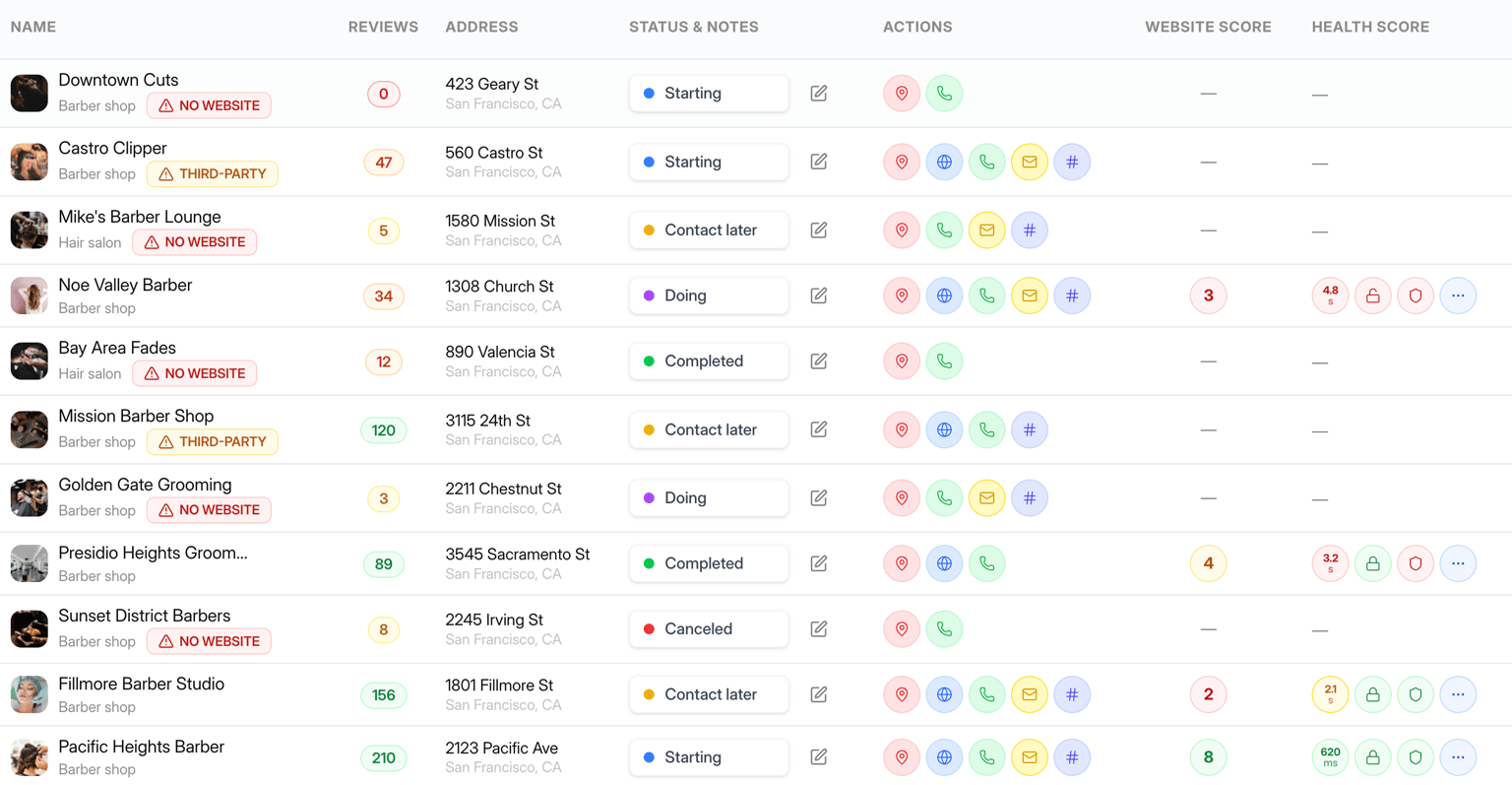
What to expect: Searches can return businesses with websites as well as those without them. One credit saves one business lead, regardless of website status. Phone numbers, emails, and social links are shown when found; every contact field is not guaranteed. Review the current one-time credit packages before starting.
The businesses without websites product walkthrough shows each step. Website status helps you choose what to investigate; it does not show whether the owner has agreed to buy web design services.
Verify Whether a Business Has a Website
Before contacting a business, distinguish an incomplete listing from an actual website gap:
- Search for the exact business name with its town or city. Try a trading-name variation if the sign and listing differ.
- Check whether a likely website matches the business's address, phone number, services, and branding.
- Follow links from public social profiles and directory listings, including booking links.
- Check whether it is a branch or franchise served by a parent company's website.
- If a site does not load, mark it as unreachable and check again. A temporary error does not mean no website exists.
- If the evidence is unclear, record “website unconfirmed” and ask the business rather than making a definite claim.
Use the date of your last check in your notes. Website and business details can change after a list is created.
How to Qualify a Business Without a Website
Look for recent activity and a business problem you could solve. Reviews, photos, and current opening hours can help establish that a business is active, but they do not reveal its budget or willingness to buy.
The examples below are illustrative scenarios, not researched businesses or customer results.
- What to check
- Does the existing booking service already work well?
- Possible next step
- Ask whether customers need clearer service, pricing, or appointment information.
- What to check
- Is the business taking new work, and where are project photos shown?
- Possible next step
- Discuss a project gallery and a quote form if those would help.
- What to check
- Are those details already on another page?
- Possible next step
- Suggest clear service-area and enquiry information if it is missing.
- What to check
- Is the business still trading?
- Possible next step
- Verify its status before spending time on a proposal.
| What you find | What to check | Possible next step |
|---|---|---|
| An active barber with a social page but no dedicated website | Does the existing booking service already work well? | Ask whether customers need clearer service, pricing, or appointment information. |
| A painter with recent reviews and only a directory listing | Is the business taking new work, and where are project photos shown? | Discuss a project gallery and a quote form if those would help. |
| A cleaner whose customers ask which areas it serves | Are those details already on another page? | Suggest clear service-area and enquiry information if it is missing. |
| A listing with no recent activity and an uncertain phone number | Is the business still trading? | Verify its status before spending time on a proposal. |
If you find a dedicated website that needs improvement, move the prospect to a website redesign list. Keep that separate from your no-website list so your opening message stays accurate.
What to Record in Your Lead List
Use a spreadsheet or the notes and status fields in your lead tool. Record enough to explain why each business is on the list:
- Business name, category, location, and source link.
- Website status: none found, third-party page, dedicated site, or unconfirmed.
- Date checked and the evidence behind that status.
- One specific problem your service could address.
- Public business contact channel and any contact preference.
- Conversation status, agreed next step, and follow-up date.
For example, a note might read: “Illustrative lead: local painter. Recent project photos on social media, no dedicated site found after name and city search. Ask whether customers need a single gallery and quote form.” This is more useful when following up than a list of names alone.
Approach the Business With a Useful Idea
Start with what you observed and leave room for the owner to correct you. Here is an example for a conversation with a business owner:
Hi, I'm a web designer in the area. I found your business on Maps, but I couldn't find a website with your services and project photos. Do you already have one? If not, would a page that helps customers check your work and request a quote be useful?
Only describe yourself as local if that is true. If the owner already has a website or is not interested, update your notes. Before contacting a business, check the rules and preferences that apply to your chosen channel and location.
For help moving from a shortlist to a conversation and proposal, read how to find web design clients. If you use Webleadr, its outreach workflow can help draft a message or call script from the lead's details; review the wording before using it.
Common Mistakes to Avoid
- Treating an empty website field as proof. Verify the business across sources first.
- Assuming a missing website means buying interest. Ask whether a website would solve a current problem.
- Buying or building an old list without checking it. Record when each prospect was last reviewed.
- Pitching the same feature to every business. A booking page, project gallery, and quote form solve different needs.
- Promising rankings or sales. Describe the work you can deliver and agree how its usefulness will be assessed.
- Confusing a social-only presence with no presence at all. Recognize what already works for the business.
Start With One Area and One Business Type
Research a manageable shortlist, verify the website status, and choose prospects with a clear reason to talk. You can do the work manually using the steps above, or create a Webleadr account and choose a credit package to organize the research in one place. Finding the right businesses is the first step; qualification and a useful conversation come next.
FAQ
This service has been great! I have had great results so far. Most if not all the businesses found on their site is up to date and I have been able to develop a fantastic lead list from it. I would highly, highly recommend them.